LEAPX Immersive Suite · Scape
Review space at the scale of reality.
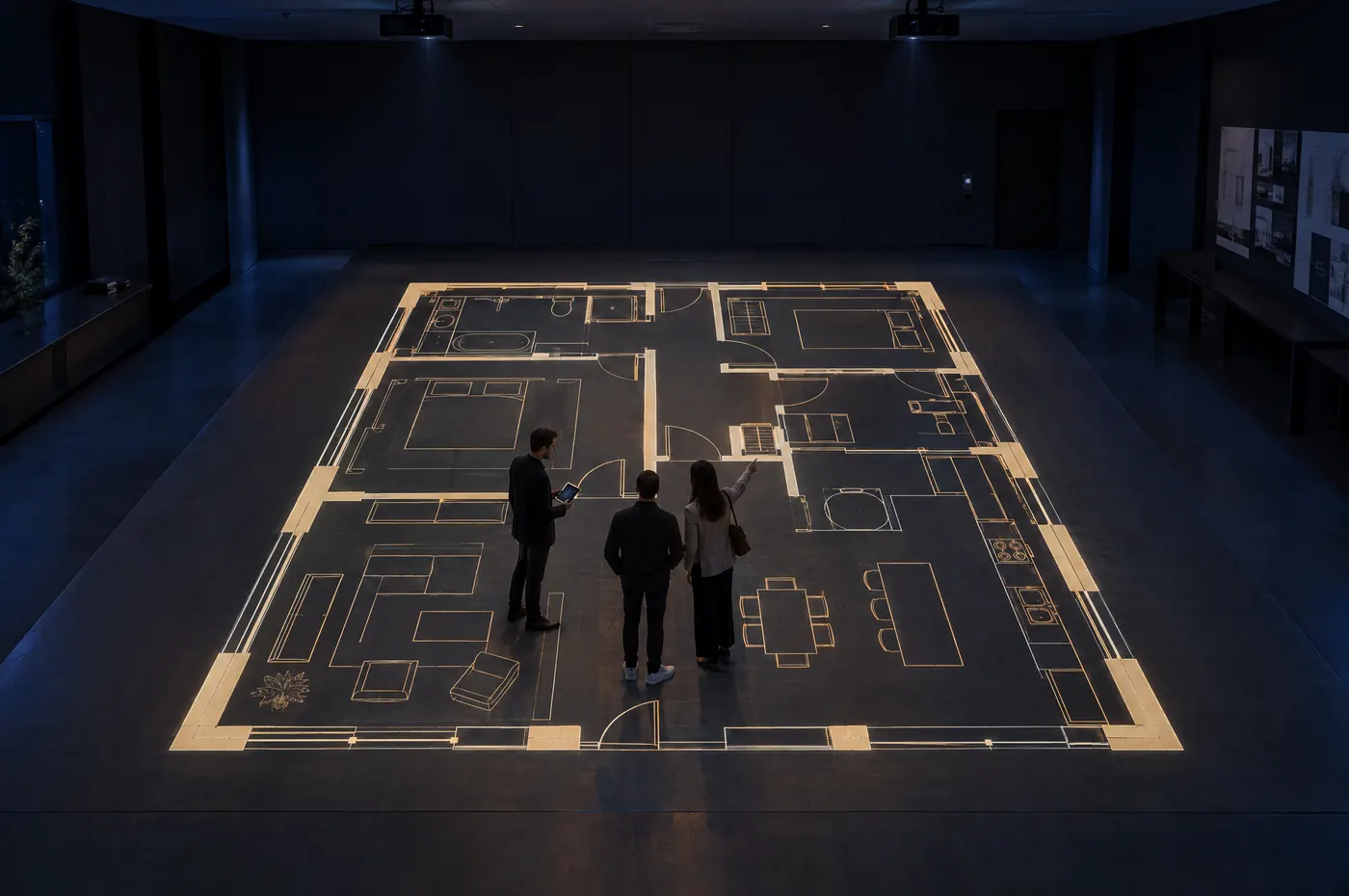
LEAPX Scape brings plans and environments into full-scale, collaborative review. Its first application, FloorScape, displays a supported CAD-exported PDF across an edge-blended projected floor at 1:1 scale, after calibration.
 Visualisation
- What it is
- Full-scale plan review on a projected floor, with FloorScape at 1:1.
- Best for
- Architecture, Real estate development, Interior design, Construction planning
- You'll need
- A clear floor area sized for the plans you review, overhead projector mounting, controllable light, power and a tablet.
- You get
- Edge-blended projection, FloorScape software, calibration and handover.
What it does
Walk through the plan before construction begins.
1:1 scale
Rooms, corridors and clearances shown at their real size underfoot.
Edge-blended
Multiple projectors combine into one continuous floor image.
Tablet control
Select, position, scale and navigate the review from a tablet.
Works with your tools
Export a PDF from the CAD or design application you already use.
How it works
From CAD export to full-scale review.
- 1
Export
Export a plan from your CAD or design application as a PDF.
- 2
Drop
Drop the file into the FloorScape watched folder.
- 3
Load
FloorScape detects and loads the plan.
- 4
Navigate
Use the tablet controller to select, position, scale and navigate the review.
- 5
Walk it
The edge-blended projection presents the plan on the floor at 1:1 scale, after calibration.
What it does not do
FloorScape does not edit a live CAD model. Changes are made in your design application, exported again as a PDF and reloaded.
Where it fits
- Architecture
- Real estate development
- Interior design
- Construction planning
- Client review
Planning a deployment
What we work out together.
- Space and surfaceWe assess the wall, floor or room you have in mind and confirm size, distance and mounting.
- HardwareProjection, display, sensing and control are specified for the space and the experience.
- ContentUse LEAPX content, adapt it to your subject or brand, or commission something new.
- Light and sightlinesAmbient light and viewing angles are checked so the experience stays clear and comfortable.
- Power and networkPower, data and connectivity needs are confirmed before installation.
- SupportLicensing, maintenance, updates and warranty are agreed for each deployment.
Straight answers
Scape, answered.

See what LEAPX Scape could do in your space.
Tell us about the space, the audience and the outcome. We'll plan a demonstration with you.
or email contact@leapx.io